


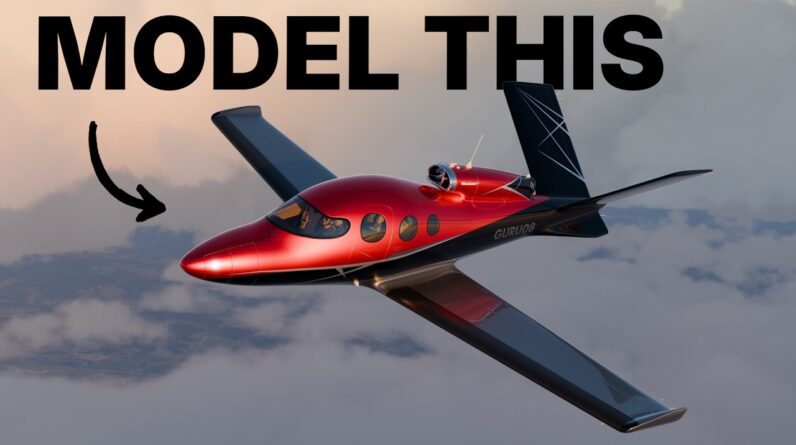
Full tutorial on how to model, texture, light and animate a private jet in Blender.
==🔗Links and Resources==
Official post with Unstuck Yourself Guide: https://www.blenderguru.com/posts/2026/10/14/how-to-make-a-private-jet
Blender Guru Discord: https://blenderguru.com/discord
Download the finished .blend and HDRIs: https://www.poliigon.com/jet (paid)
Blender Guru Academy: https://blenderguru.com/academy
Download PureRef: https://pureref.com/download.php
Download my PureRef Reference Board: https://drive.google.com/file/d/1iZp2V9X9U2EUdv1i7qYtFRabIMj8Qxa7/view?usp=sharing
Download the Blueprints: https://drive.google.com/file/d/1j1LRbgfFlt5FyKQYk19jG8p93GMJAeB5/view?usp=sharing
Download my Plane Texture: https://drive.google.com/file/d/1OIe0YbuU3KA6kj8H9xc1btfBQQP-HFc8/view?usp=sharing
Download my Rivet Generator.blend: https://drive.google.com/file/d/1UDE3d2-jylTL_UxkaZCh507Efj52nHtu/view?usp=sharing
Chris Plush’s Car Modeling Course: https://gumroad.com/a/350356435/cgzfo
The 3D Space Mouse: https://amzn.to/4ee3VVO
Tripo – 500 free credits signup link: https://tripo.pxf.io/KBAN7x?p.invite_code=TXBJ29 Use code TRIPOCREW for 60% off your first month.
=== Chapter Marks ✂️===
0:00:00 Intro
0:00:42 Adding Blueprints
0:06:33 Adding Fuselage
0:08:50 Silhouette Blocking
0:13:41 Modeling the windshield
0:26:20 Improving visibility with Matcaps
0:28:36 Modeling the Wing
0:34:30 Modeling the V-Tail
0:38:40 Modeling the Turbofan
0:49:08 Tightening Up the Shapes
0:50:35 The Solution to Panels
1:02:39 Modeling the Door
1:07:07 Modeling the Windows
1:16:58 Modeling the Tail Flaps
1:21:02 Modeling the Turbine Chrome Tip
1:21:46 Modeling the Wing Flaps
1:30:57 Fixing Artifacts with Better Bevels
1:41:05 UV Unwrapping
1:53:47 Painting in Photoshop
1:57:46 Applying the Paint
2:04:02 Applying Other Materials
2:07:56 Lighting
2:15:37 Modeling the Interior Walls
2:27:48 Making the Plane Interior
2:40:34 Making the Pilot
2:48:17 Adding More Panels
2:51:52 Adding Window Seals
2:56:10 Adding Rivets
3:04:03 My Final Texture Job
3:05:15 Making a Quick Animation
3:17:29 Adding Glare
3:20:09 Rendering
3:22:43 Final Result
===Follow me🫰===
X: https://x.com/andrewpprice
Instagram: http://instagram.com/andrewpprice
ArtStation: http://artstation.com/artist/andrewprice
LinkedIn: www.linkedin.com/in/andrew-price-17678911